AI video doorbell with Frigate
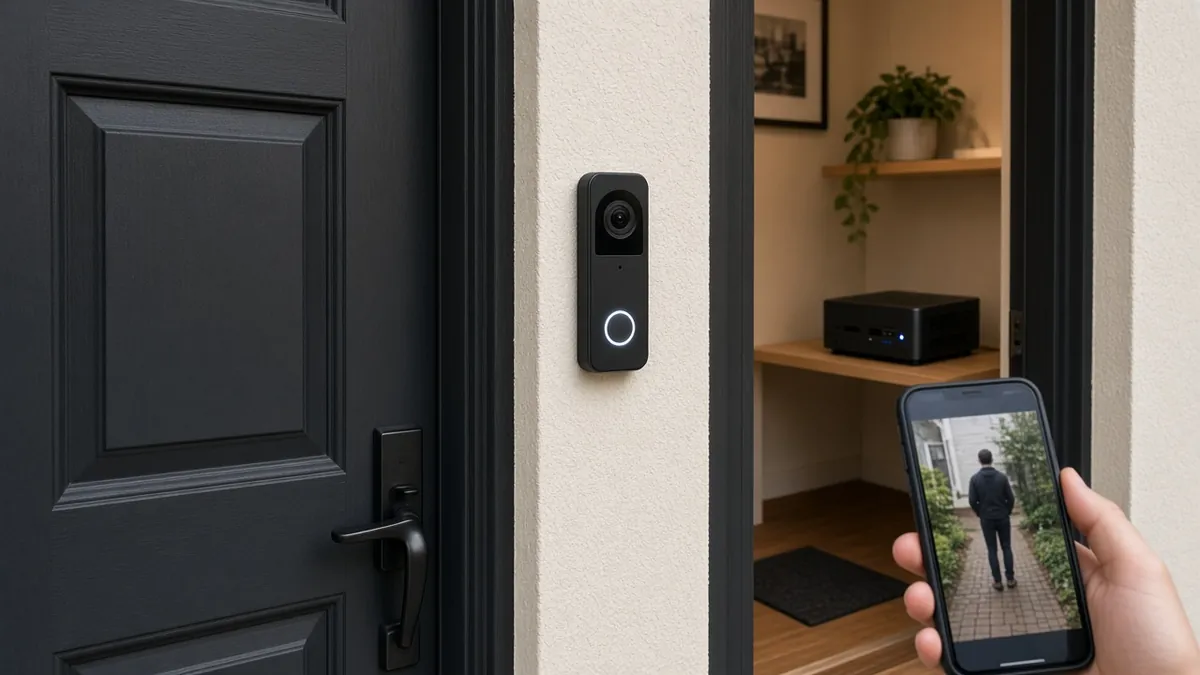
A real video doorbell with a button that sends video to Frigate on a computer you own, so person detection stays on your network. Home Assistant rings a chime or your phone when someone presses the button, without a mandatory cloud AI plan.
Safety first
- Doorbell and porch circuits can include mains or a doorbell transformer. If you are replacing a wired button that involves unknown mains or a transformer, stop and use a low-voltage PoE or plug-in camera, or hire an electrician. Do not guess at 120 V wiring.
- Use listed power supplies and outdoor-rated cable as the camera maker specifies. Water in a cheap 120 V adapter is a fire and shock hazard.
- Mount so the camera cannot easily fall onto a walkway.
Rules and laws
- Point the doorbell at your own door, not into a neighbor's window or a private yard. Audio recording is restricted in some places - check local consent rules before you enable a microphone.
- If you record a public sidewalk, know your local law and keep retention short. This project is for a household doorbell, not a hidden surveillance system.
Parts
| Part | Qty | Approx. each | Subtotal |
|---|---|---|---|
| Reolink Video Doorbell (PoE or Wi-Fi)Has a real button and an RTSP stream Frigate can read. The PoE version needs the injector below; the Wi-Fi version uses your existing doorbell transformer. Typical $80-130, no verified link.Amazon (search) | 1 | $100 | $100 |
| Always-on mini PC or spare home-server capacity to run FrigateSkip this if you already have a suitable box. Typical $80-200, no verified link.Amazon (search) | 1 | $120 | $120 |
| Optional Google Coral USB or another detector officially listed in current Frigate docsOptional. Availability changes. Typical $50-80, no verified link.Amazon (search) | 1 | $50 | $50 |
| PoE injector or switch, or the camera's listed low-voltage supplyTypical $15-40, no verified link.Amazon (search) | 1 | $20 | $20 |
| Disk or large card for Frigate recordingsA 2 TB surveillance drive, or skip it if your Frigate host already has room. Typical $55-80, no verified link.Amazon (search) | 1 | $65 | $65 |
| Estimated total (parts only) | $355 | ||
Typical US prices, checked 2026-11-12. Prices change and multi-packs are often cheaper per piece.
As an Amazon Associate I earn from qualifying purchases. Prices change; check the store.
Filament
PLA (1.75 mm): about 40 g (13.4 m), roughly 3 h of printing.
PLA or PETG for a rain hood or bracket, 0.2 mm layers, 20% infill, supports if the hood needs them. If you buy a ready-made camera, you may not need to print anything.
AI agents you'll use
- Frigate setup helper (ChatGPT, Claude, Gemini or Grok): Helps you write a minimal Frigate config that follows the official docs, including a single camera, a person detector, and MQTT into Home Assistant.
- Privacy helper: Helps you aim the camera at your own door, mask public sidewalks where the software allows it, and write a notice if your local rules expect one.
Tools
- Computer or mini PC that can run Docker
- Optional Coral USB or another official Frigate-supported accelerator
- Screwdriver
- Phone or laptop to view the Frigate UI
- Optional 3D printer
What you'll learn
- Running official Frigate with Docker
- Pointing Frigate at an RTSP camera
- Person detection plus a doorbell-press alert in Home Assistant
- Privacy and placement for a camera at the door
A Reolink doorbell already spots people and sends app alerts on its own. So why build this? Because here the AI runs on hardware you control, and that opens up things the stock app can't do.
Why build it
- Your data stays home. Frigate runs on your own computer, and recordings go to your own disk instead of a vendor's cloud.
- Smarter alerts. You can mask out the sidewalk and street, set zones, and get alerts only for a person at your door, not every passing car.
- It can do things. Home Assistant can act on a detection or a button press: turn on the porch light, announce visitors on a smart speaker, or send a snapshot to your phone.
- No lock-in. It keeps working if the vendor changes its app or plans, and you can add more cameras to the same setup later.
What you'll build
A video doorbell at your own front door, an always-on computer running official Frigate, and Home Assistant alerts for both a detected person and a button press. A printed rain hood is optional. The cost range is wide because you may already own the computer, and a Coral (or similar) detector is optional.
Print the parts
If the camera already has a mount and a weather cover, skip printing. Otherwise search Printables or Thingiverse for a hood that fits your camera body, credit the designer, and print in PETG if it will live outdoors. Do not trap the lens behind printed plastic.
Wiring
Most of the "wiring" is network and power, not GPIO.
| From | To |
|---|---|
| PoE camera Ethernet | PoE switch or injector, then your LAN |
| Wi-Fi camera power | The listed low-voltage supply, indoors if possible |
| Frigate host | The same LAN, preferably wired |
| Optional Coral USB | A direct USB port on the host (avoid an unpowered hub) |
| Existing mechanical doorbell | Leave it alone unless you know the transformer circuit |
Step-by-step
- Set up the doorbell in the Reolink app, turn on its RTSP stream, and confirm the stream URL format in the Reolink and Frigate docs.
- Mount the doorbell at your own door. Avoid a neighbor's windows. Enable the microphone only if you are sure it is legal.
- Install official Frigate with Docker as the current docs describe, on a computer that can stay on.
- Add a single camera and a person detector in the config. Start without long video retention.
- Confirm you can see detections in the Frigate UI when you walk up to your own door.
- Connect Frigate to Home Assistant with the official integration or MQTT, as the current docs describe, and send yourself a notification.
- Mask areas you do not want to detect (a public sidewalk, a waving flag) using Frigate's documented masks.
- Add the official Reolink integration in Home Assistant so the button press shows up as a visitor sensor, then make an automation that rings a smart chime or speaker and sends your phone a snapshot.
- Only then think about a Coral or another supported accelerator if the CPU is maxed out.
Code
There is no microcontroller sketch. A minimal Frigate config belongs in official YAML keys only.
Prompt for the helper:
Help me write a minimal Frigate config for one RTSP camera and person detection, plus MQTT, following the current official docs at docs.frigate.video.
I will paste my RTSP URL pattern and whether I have a Coral. Do not invent detector types or outdated keys. Remind me to keep recordings on my own disk and to mask public areas.
Troubleshooting
- Green or empty video: the RTSP URL, username, or stream sub-path is wrong. Test the URL with a desktop player first.
- CPU at 100%: lower the detect resolution as the docs recommend, or add a supported accelerator.
- Notifications for every car or tree: tighten the zone and require the person label, not "any motion."
- Camera goes offline in rain: the outdoor gland or supply is not actually weather-rated. Bring power indoors.
Files, code and docs
- Frigate project site (Vendor docs)
- Frigate on GitHub (blakeblackshear) (MIT)
- Frigate documentation (Vendor docs)
- Home Assistant (Vendor docs)
Last checked 2026-11-12. Double-check parts against your own board and seller listings before you buy.