E-ink daily dashboard
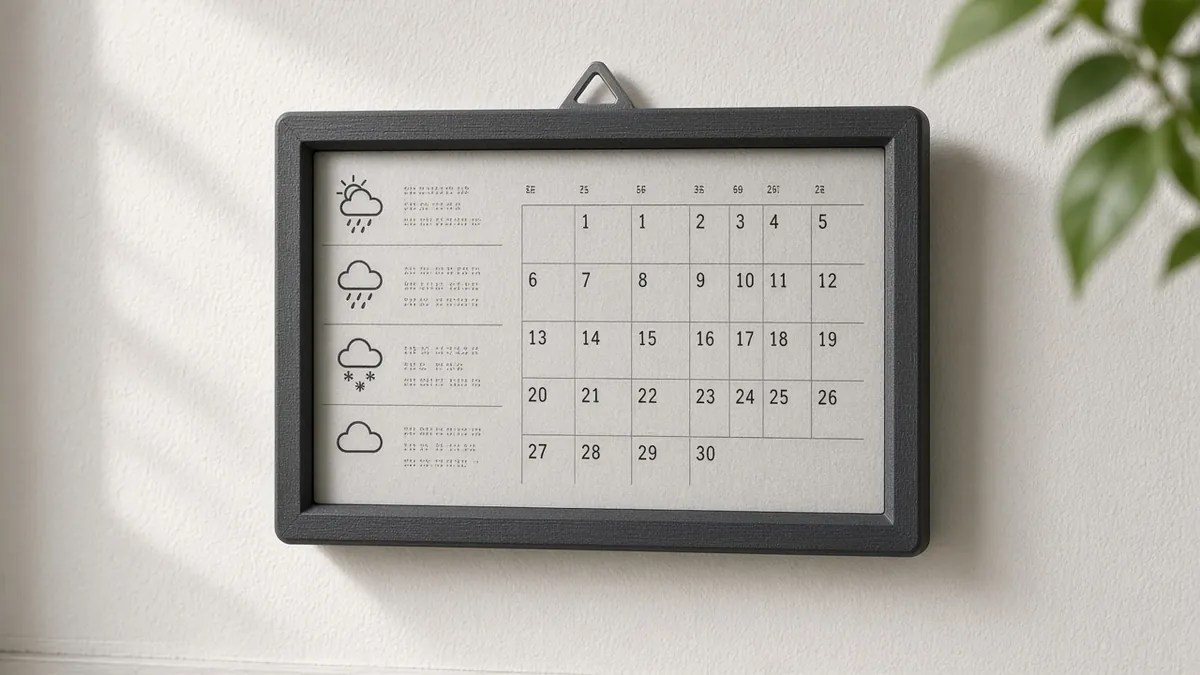
A wall-powered e-ink screen that wakes a few times a day to show weather, a calendar, and a short local-AI summary. It stays readable in daylight and only sips power when it refreshes.
Safety first
- Treat the glass or rigid panel as fragile. Do not flex it or power it from the wrong voltage.
- Use a listed 5 V USB supply. This is a low-voltage project; no mains inside the frame.
- Some panels are sensitive to being left in a partial-refresh state or powered incorrectly - follow the official power-down notes for your revision.
Rules and laws
- If the dashboard shows a work calendar or household schedule on a wall, think about who can walk up and read it.
- Weather and calendar APIs have terms of use. Prefer a local Home Assistant instance you already run if you can.
Parts
| Part | Qty | Approx. each | Subtotal |
|---|---|---|---|
| Waveshare 7.5-inch e-Paper HAT, 800x480, SPITypical $50-$75 each (or see pack note). ASIN confirmed for the HAT (panel plus driver). Typical $50-75. Confirm your exact revision on the Waveshare wiki before wiring.Amazon | 1 | $60 | $60 |
| Espressif ESP32-DevKitC-32E (DevKitC V4) development boardThis is the default controller for this project. A Raspberry Pi plus the e-Paper HAT is an alternate path; skip this board if you go that route. Official Espressif 38-pin DevKitC V4 with ESP32-WROOM-32E (4 MB). Micro-USB port, not USB-C. Buy only the official 38-pin Micro-USB board, not a USB-C or 30-pin clone. Primary listing: Mouser 356-ESP32-DEVKITC32E, $10.20, 1,701 in stock on Nov 12, 2026, per Findchips (https://www.findchips.com/search/ESP32-DEVKITC-32E). The Mouser US page itself returned 403 to a direct fetch, so click-confirm the US storefront before you order. Mouser Netherlands listed 1,622 in stock at €8.60 the same day. Do not use DigiKey as the default today (search snippets showed 0 in stock / long lead time). Official Amazon listing https://www.amazon.com/dp/B09MQJWQN2 was still unavailable; use it if it returns. Amazon search for the official board: https://www.amazon.com/s?k=ESP32-DevKitC-32E. Adafruit #3269 remains $15.00 and was out of stock (https://www.adafruit.com/product/3269). Typical $10-16.Mouser · price seen on 2026-11-12 | 1 | $10.20 | $10.20 |
| 40-pin 20 cm female-to-female jumper wiresTypical $5-$7 each (or see pack note). ASIN confirmed. Typical $5-7 for a 40-wire pack.Amazon | 1 | $5.50 | $5.50 |
| 5 V, 2 A USB wall adapterTypical $5-10, no verified link.Amazon (search) | 1 | $7 | $7 |
| Estimated total (parts only) | $82.70 | ||
Typical US prices, checked 2026-11-12. Prices change and multi-packs are often cheaper per piece.
As an Amazon Associate I earn from qualifying purchases. Prices change; check the store.
Filament
PLA (1.75 mm): about 60 g (20.1 m), roughly 4 h of printing.
PLA, 0.2 mm layers, 15-20% infill, 2-3 walls, supports if the front bezel has an overhang. Print the bezel face-down when the file allows it so the visible edge is clean.
AI agents you'll use
- Firmware helper (ChatGPT, Claude, Gemini or Grok): Helps adapt the official Waveshare ESP32 example to your panel revision, then adds a simple Wi-Fi fetch and layout, without inventing a busy-pin timing that contradicts the wiki.
- Layout helper: Turns a text list (weather, next calendar event, a two-line summary) into a readable black-and-white layout.
Tools
- Computer with Arduino IDE or ESPHome
- USB data cable
- 3D printer or a picture frame to cannibalize
- Optional soldering iron
What you'll learn
- Driving a Waveshare-class SPI e-paper panel from an ESP32
- Fetching a small amount of data over Wi-Fi
- Why e-ink refresh rates and panel revisions matter
- Showing a short summary without leaving a glowing LCD on all day
A small e-ink panel on the wall, refreshed a few times a day, with weather, the next event, and an optional two-line summary from a local model or from Home Assistant. It should look like a quiet sign, not a glowing tablet.
What you'll build
A 7.5-inch class SPI e-paper panel in a printed or picture-frame bezel, driven by an ESP32. Start by showing fixed text, then add Wi-Fi data. A local AI summary is optional and should be generated on a computer you already have, then fetched as text - do not expect a 7.5-inch ESP32 to run a large model.
Print the parts
Search Printables or Thingiverse for a frame that matches your exact panel size (7.5-inch boards are not all the same outline) and credit the designer, or cut a mat for a cheap picture frame. Print with the settings above. Leave a path for the ribbon cable and USB power.
Wiring
Pin names differ by Waveshare revision and by whether you use their driver HAT. Use the wiki for your exact panel. Two example ESP32 SPI hookups look like this, and you must confirm them:
| Function | Waveshare ESP32 driver board / wiki examples | Default VSPI on a bare ESP32 DevKit | Notes |
|---|---|---|---|
| Panel VCC | 3.3 V | 3.3 V | Many e-paper panels are 3.3 V only. Never assume 5 V. |
| GND | GND | GND | Common ground |
| DIN / MOSI | GPIO 14 | GPIO 23 | Confirm against the wiki. |
| CLK / SCK | GPIO 13 | GPIO 18 | |
| CS | GPIO 15 | GPIO 5 | GPIO 5 is a strapping pin on the ESP32. |
| DC | GPIO 27 | GPIO 17 | |
| RST | GPIO 26 | GPIO 16 | |
| BUSY | GPIO 25 | GPIO 4 | Required. Do not invent delays that ignore BUSY. |
The first column matches Waveshare's own ESP32 hookup, so their example code works unchanged. Use the second only with a bare DevKit and code you set up for those pins.
If you buy a HAT made for a Raspberry Pi, do not assume those header pins match an ESP32 DevKit.
Step-by-step
- Identify your exact panel model and revision, and open its official wiki or datasheet.
- Wire power first (3.3 V unless the docs say otherwise) and SPI as the wiki shows.
- Run the official example for that revision until you can display a test image or the vendor demo.
- Ask the firmware helper to add Wi-Fi and a simple layout (large clock, weather from a local Home Assistant endpoint or a documented API).
- Add a two-line "today" summary only after the layout works. The ESP32 should fetch text, not run the LLM itself.
- Set a refresh schedule (for example every 15-30 minutes) that your panel's official guidance allows. Full refreshes reduce ghosting.
- Put it in the frame, mount it out of direct harsh sun if the maker warns about heat, and hide the USB cable.
Code
Prompt for the helper:
Help me adapt the official Waveshare ESP32 e-paper example for my exact panel revision (I will paste the model) on an ESP32-WROOM-32.
After the official demo works, add Wi-Fi and a simple black-and-white layout: time, weather text, next calendar line.
Use the BUSY pin correctly and do not invent a pin map or a refresh delay that contradicts the wiki.
ESPHome also supports some e-paper panels; if you go that way, use only panels and keys listed in the current ESPHome docs.
Troubleshooting
- Solid or garbled screen: wrong revision example, a swapped DC/BUSY pin, or 5 V applied to a 3.3 V panel. Unplug and re-read the wiki.
- It never returns from a refresh: BUSY is not wired, or you chose a pin that cannot be an input.
- Ghosting: too many partial updates. Do a full refresh on a slower schedule, as the vendor recommends.
- Wi-Fi works but the layout is clipped: your panel is not 800x480, or the buffer in the example is for a different size.
Files, code and docs
- Waveshare e-paper wiki (Vendor docs)
- Installing the Arduino-ESP32 core (Espressif docs) (Vendor docs)
- ESPHome documentation (Vendor docs)
Last checked 2026-11-12. Double-check parts against your own board and seller listings before you buy.