Local voice assistant on a Raspberry Pi
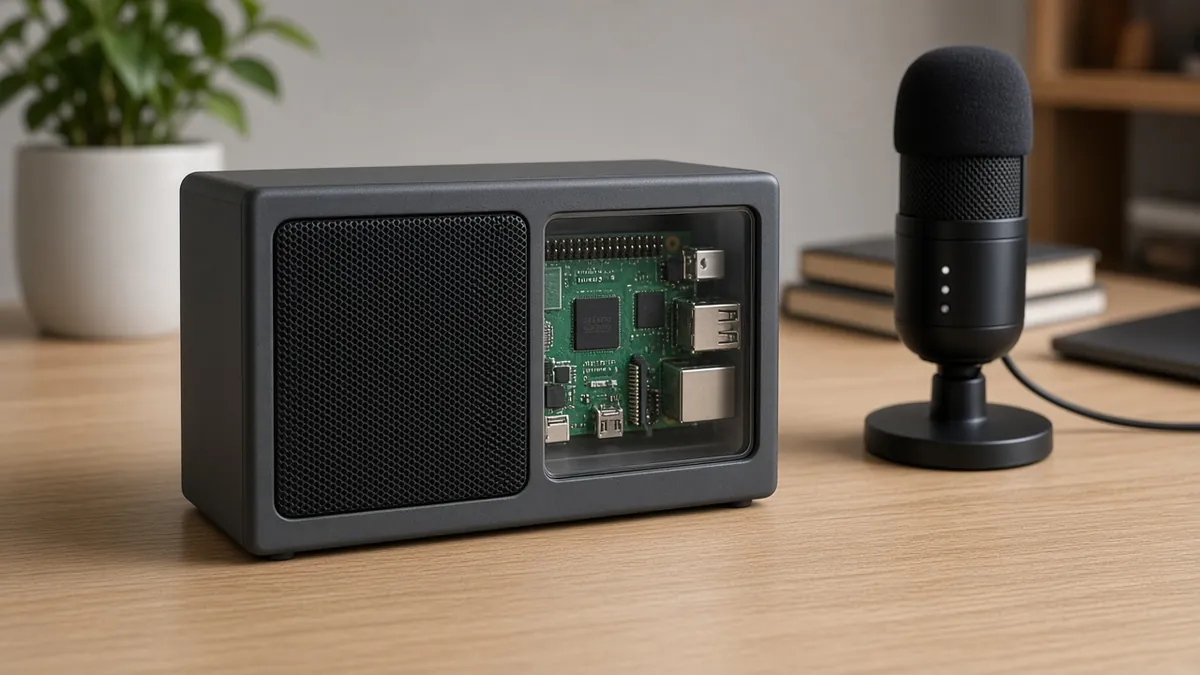
A speaker and microphone on a Raspberry Pi that listen with a local wake word, transcribe with Whisper, and answer with a local LLM and a local TTS voice. No cloud key is required if you keep every piece on your network.
Safety first
- Use the official (or a correctly rated) USB-C power supply for a Pi 5. Underrated supplies cause random resets.
- A speaker can be loud. Start at a low volume, especially at night or around children.
- This is a low-voltage project. No mains wiring inside the case. Use a listed USB supply or speaker power brick as it came.
Rules and laws
- Do not record other people without their knowledge. An always-listening mic in a shared home or office needs a clear agreement and a mute switch.
- Model and software licenses (weights, TTS voices, OS packages) must be followed; they are not all the same.
Parts
| Part | Qty | Approx. each | Subtotal |
|---|---|---|---|
| Raspberry Pi 5, 4 GB (SC1111/SC1431)Price seen ~$110.00 on PiShop.us, Nov 12, 2026. Price seen $110.00, in stock, on PiShop.us (a Raspberry Pi approved reseller). Amazon listing B0CK3L9WD3 exists but was not used because reseller pricing was lower and clearer.PiShop.us · price seen on 2026-11-12 | 1 | $110 | $110 |
| USB-C PD 27 W power supply for Raspberry Pi 5, ETL listedA Pi 5 wants a 5 V / 5 A class supply. Price seen ~$11.95 on PiShop.us, Nov 12, 2026. Price seen $11.95 as a related item on the PiShop Raspberry Pi 5 page.PiShop.us · price seen on 2026-11-12 | 1 | $11.95 | $11.95 |
| microSD card, 32 GB or larger, application classTypical $8-15, no verified link this pass.Amazon (search) | 1 | $10 | $10 |
| USB microphoneTypical $10-25, no verified link.Amazon (search) | 1 | $15 | $15 |
| Small powered speaker, 3.5 mm or USBTypical $12-30, no verified link.Amazon (search) | 1 | $18 | $18 |
| Estimated total (parts only) | $164.95 | ||
Typical US prices, checked 2026-11-12. Prices change and multi-packs are often cheaper per piece.
As an Amazon Associate I earn from qualifying purchases. Prices change; check the store.
Filament
PLA (1.75 mm): about 80 g (26.8 m), roughly 5 h of printing.
PLA, 0.2 mm layers, 15-20% infill, 2-3 walls, supports only if the case has a steep overhang. Leave vents and a clear path to the microphone.
AI agents you'll use
- Local AI setup helper (ChatGPT, Claude, Gemini or Grok): Helps you install official Raspberry Pi OS, whisper.cpp or an equivalent, Ollama or llama.cpp, and Piper, and reminds you to follow each project's current README rather than invented flags.
- Privacy helper: Helps you plan a hardware mute switch and reminds you not to log household audio.
Tools
- Computer to flash the Pi
- microSD card reader
- Optional 3D printer
- Screwdriver
- Good Wi-Fi or Ethernet
What you'll learn
- Installing a Raspberry Pi OS image
- Running whisper.cpp or a similar local speech-to-text build
- Running a small local LLM (for example through Ollama) and a local TTS voice such as Piper
- Why a wake word and a hardware mute matter in a house
This is a local "talk to a box" assistant: a wake word or a button, then speech-to-text, a small language model, and a spoken reply. It will be slower and less polished than a big cloud speaker, but the audio can stay in your house.
What you'll build
A Raspberry Pi 5 (or a capable Pi 4) in a printed or ready-made case, with a USB mic and a speaker, running a local STT model, a small local LLM, and Piper or a similar local TTS. You can later hook it to Home Assistant; that is optional.
Print the parts
Search Printables or Thingiverse for a case that matches your Pi model and credit the designer. Leave a hole for the USB-C power, Ethernet or vents, the microphone, and the speaker. Print with the settings above, or use a commercial Pi case and a separate speaker.
Wiring
There is little custom wiring if you use USB audio.
| From | To |
|---|---|
| Official Pi power supply | Raspberry Pi USB-C power port |
| USB microphone | A Pi USB port |
| Speaker | 3.5 mm jack or USB, depending on the speaker |
| Optional Ethernet | Pi Ethernet port |
| Optional hardware mute | A documented GPIO button that the software treats as mute, if you add one |
If you use an I2S mic hat, follow that hat's official pin documentation, not this table.
Step-by-step
- Flash the current official Raspberry Pi OS using the official imager, boot, and update the system.
- Plug in the microphone and speaker and test recording and playback with the OS tools before you install any model.
- Install whisper.cpp (or another official local STT you prefer) and transcribe a short WAV you recorded. Start with a small model.
- Install Ollama or llama.cpp and pull a small model that actually fits in your RAM (a 3B-class model is a common starting point on a Pi 5; confirm current requirements).
- Install Piper and play a test sentence through the speaker.
- Ask the setup helper to stitch a simple Python or shell loop: listen after a button press (start here, it is easier than a wake word), transcribe, ask the LLM, speak the answer.
- Add a wake word later if you want, using a documented open-source wake-word project. Always include a mute.
- Put it in the case, lower the volume, and tell everyone in the house how to mute it.
Code
Prompt for the helper:
Outline a simple Python script on Raspberry Pi OS that records from the default USB mic after I press Enter, transcribes with whisper.cpp, sends the text to a local Ollama HTTP API, and plays the reply with Piper.
Point me to each project's official README for install flags. Do not invent command-line options. Keep audio in local files I can delete, and do not upload anything.
Home Assistant users can later look at official Assist / Wyoming integrations; follow those docs rather than a third-party blog.
Troubleshooting
- The Pi reboots when it speaks or loads a model: the power supply is too weak, or the model is too large.
- Empty transcripts: the wrong capture device is selected, or the mic is muted in the OS.
- Replies take forever: use a smaller model, a Pi 5, or move the LLM to a desktop on the same network.
- Fans or vents packed in a sealed case: it will throttle. Add vents.
Files, code and docs
- Raspberry Pi official documentation (Vendor docs)
- whisper.cpp (MIT)
- Ollama (Vendor docs)
- Piper TTS (OHF-Voice/piper1-gpl, successor to the archived rhasspy/piper) (GPL-3.0)
Last checked 2026-11-12. Double-check parts against your own board and seller listings before you buy.