Talking AI plushie
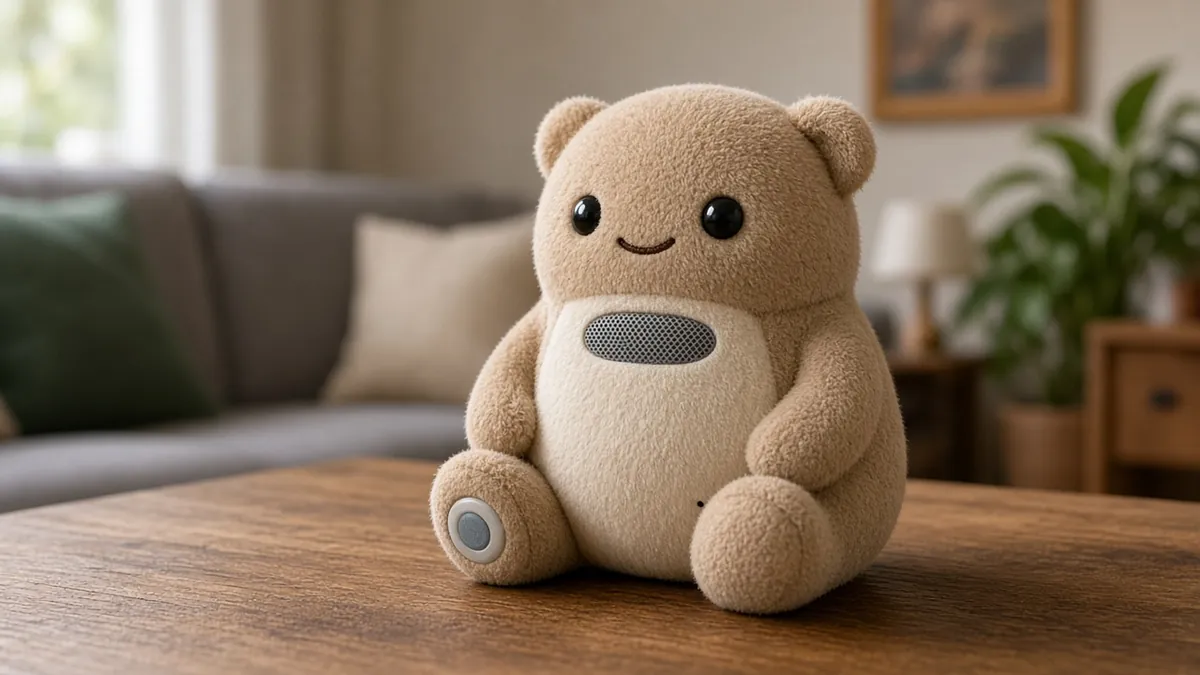
A stuffed toy with a speaker, a microphone, a push button, and a Raspberry Pi Zero 2 W or a similar small computer that runs a local, kid-safe prompt and a local voice. Not a toy for toddlers, and not a cloud-connected companion unless you choose that on purpose.
Safety first
- This is not a toy for children under 3, and it is not a bed-sharing toy. Batteries, coins, and loose electronics are choking and fire hazards.
- Sew or screw a service hatch so nothing can fall out. Use a quality power bank with a switch, not a loose LiPo in stuffing.
- Limit volume. A speaker next to a child's ear can be too loud.
- The system prompt must refuse adult, scary, or medical advice. A human stays in the room.
Rules and laws
- If a child uses it, a parent should know what is recorded and should be able to delete it. Default to no cloud and to deleting each clip after the reply.
- Do not market this as a child's certified toy unless it actually meets the product-safety rules in your country, which a home build does not.
Parts
| Part | Qty | Approx. each | Subtotal |
|---|---|---|---|
| Raspberry Pi Zero 2 WA Pi 4 or 5 is faster if the plush is large enough. A Zero 2 W may be slow for a local LLM. Price seen ~$17.25 on PiShop.us, Nov 12, 2026. Price seen $17.25 on PiShop.us (listed out of stock that day). Adafruit product 5291 was $19.05 and also out of stock. Amazon listings were far higher, so they were not used.PiShop.us · price seen on 2026-11-12 | 1 | $17.25 | $17.25 |
| microSD card, 32 GB or larger, application classTypical $8-15, no verified link this pass.Amazon (search) | 1 | $10 | $10 |
| MAX98357-class I2S amp and a small speaker, or USB audioTypical $8-20, no verified link.Amazon (search) | 1 | $15 | $15 |
| Large child-safe momentary button, not a coin or loose magnetTypical $2-6, no verified link.Amazon (search) | 1 | $3 | $3 |
| Bought plush large enough to hide padded electronicsTypical $10-25, no verified link.Amazon (search) | 1 | $15 | $15 |
| USB power bank, 5 V, quality pack with an obvious switchThe switch must be obvious from outside. Typical $12-25, no verified link.Amazon (search) | 1 | $15 | $15 |
| INMP441 I2S MEMS microphoneShares the I2S bus with the MAX98357 amp; a USB mic also works. Typical $4-10, no verified link.Amazon (search) | 1 | $6 | $6 |
| Estimated total (parts only) | $81.25 | ||
Typical US prices, checked 2026-11-12. Prices change and multi-packs are often cheaper per piece.
As an Amazon Associate I earn from qualifying purchases. Prices change; check the store.
Filament
PLA (1.75 mm): about 30 g (10.1 m), roughly 2 h of printing.
PLA for internal mounts and a speaker grille, 0.2 mm layers, 20% infill, usually no supports for simple clips. The body is a bought plush, not a printed shell.
AI agents you'll use
- Firmware and prompt helper (ChatGPT, Claude, Gemini or Grok): Writes a button-to-whisper.cpp-to-Ollama-to-Piper loop with a short, kind, non-scary system prompt, and no cloud upload.
- Safety helper: Reviews swallowable parts, battery placement, volume, and age-appropriateness.
Tools
- Sewing needle or a seam ripper to open and close the plush
- Computer to flash the Pi
- Optional 3D printer
- Hot glue for mounts, used carefully
What you'll learn
- A button-to-listen, local-LLM, speak-back loop in a soft case
- Writing a short, child-safe system prompt
- Battery and speaker placement so nothing is swallowable or sharp
- Why always-on cloud toys are a privacy problem
A talking plush is just a small local voice assistant in a soft case: press a button, say something, hear a short reply. The important design work is safety and a kind prompt, not a bigger model.
What you'll build
A bought plush with a Pi Zero 2 W (or a faster Pi), a button, a mic, a speaker, and a power bank in printed or sewn pockets. Replies come from a small local model. If the Zero 2 W is too slow, run the LLM on a nearby desktop, still on your own network, or use a Pi 4/5 in a larger plush.
Print the parts
Print a speaker mount, a button backer, and a pocket for the power bank so sharp board edges never sit against the fabric. Search Printables or Thingiverse for "plush speaker mount" if you want a starting file, and credit the designer, or sew fabric pockets and skip most of the print.
Wiring
| From | To |
|---|---|
| Power bank | Pi power, through a switch you can feel from the outside |
| USB mic and speaker, or I2S boards | The Pi, with all edges padded |
| Button | A GPIO and GND, for example GPIO 17 and GND, on a large, well-anchored switch |
Step-by-step
- On the desk, get a button-to-listen, local STT, local LLM, local TTS loop working, as in the voice-assistant project, with a short kid-safe prompt and automatic deletion of the audio file.
- Print or sew mounts, pad every corner, and fit the power bank with the switch reachable from outside.
- Test volume in the plush (stuffing changes the sound) and lower it more than you think you need.
- Close the seams so a child cannot pull the electronics out, but you still have a hidden hatch.
- Sit with the child (or the adult who will use it) and try a few prompts. If the model says something off, stop and tighten the prompt or turn it off.
- Do not leave it charging in a bed, and do not leave it with a toddler.
Code
Prompt for the helper:
Write a Python script for a Raspberry Pi that, on a GPIO 17 button press, records a few seconds of audio, transcribes with whisper.cpp, asks a local Ollama model to answer in two short, kind sentences for a child, speaks with Piper, then deletes the audio file.
The system prompt must refuse adult, violent, or medical topics and must say it is just a story toy. Do not upload anything to the cloud.
Troubleshooting
- Replies take forever on a Zero 2 W: use a tiny model, or move the LLM off the Zero.
- Muffled sound: the speaker is buried; add a grille and a short tunnel of stiff felt or a printed ring.
- Accidental presses: use a firmer button and a start beep so everyone knows it heard them.
- The model gets weird: shorten the prompt, lower temperature if the API documents that, and keep a human in the loop.
Files, code and docs
- Raspberry Pi official documentation (Vendor docs)
- whisper.cpp (MIT)
- Piper TTS (OHF-Voice/piper1-gpl, successor to the archived rhasspy/piper) (GPL-3.0)
Last checked 2026-11-12. Double-check parts against your own board and seller listings before you buy.