Touchless ToF theremin with an AI-written backing band
Wave your hands over two VL53L1X time-of-flight sensors: one hand sets the pitch, the other the volume. A Raspberry Pi Pico sends USB MIDI to your computer's synth, and a small AI-written Python script listens and plays chords and bass in the same key.
Safety first
- The VL53L1X uses a Class 1 infrared laser emitter, considered eye-safe in normal use; still do not stare into it at close range.
- Start the synth at low volume.
Parts
| Part | Qty | Approx. each | Subtotal |
|---|---|---|---|
| Raspberry Pi Pico H (with headers)Typical $4-7, no verified link.Amazon (search) | 1 | $5 | $5 |
| VL53L1X time-of-flight distance sensorUp to about 4 m range; both on separate I2C buses so they can keep the same address. Typical $7-16, no verified link.Amazon (search) | 2 | $9 | $18 |
| Solderless breadboard and jumper wire kitTypical $7-13, no verified link.Amazon (search) | 1 | $10 | $10 |
| USB-A to micro-USB data cableTypical $4-8, no verified link.Amazon (search) | 1 | $6 | $6 |
| Estimated total (parts only) | $39 | ||
Typical US prices, checked 2026-11-12. Prices change and multi-packs are often cheaper per piece.
As an Amazon Associate I earn from qualifying purchases. Prices change; check the store.
Filament
PLA (1.75 mm): about 64 g (21.5 m), roughly 6 h of printing.
PLA, 0.2 mm layers, 15% infill, 2 walls (the settings the v1 files were sliced with).
AI agents you'll use
- Code helper (ChatGPT, Claude, Gemini or Grok): Writes the CircuitPython code: two VL53L1X sensors on two I2C buses, pitch quantized to a scale, volume as MIDI CC, sent over USB MIDI.
- Backing band helper: Writes a Python script for your computer that reads the theremin's MIDI, guesses the chord under your notes, and plays a simple bass line and chords on another MIDI channel.
Tools
- Soldering iron for header pins
- USB data cable
- Computer with a free soft synth or DAW
What you'll learn
- Reading time-of-flight distance sensors
- USB MIDI from a microcontroller
- Scales and quantizing notes to a key
- Simple generative accompaniment
A theremin you play by waving your hands in the air, with a band that follows you. It is a fun first music gadget and a great way to learn sensors and MIDI.
What you'll build
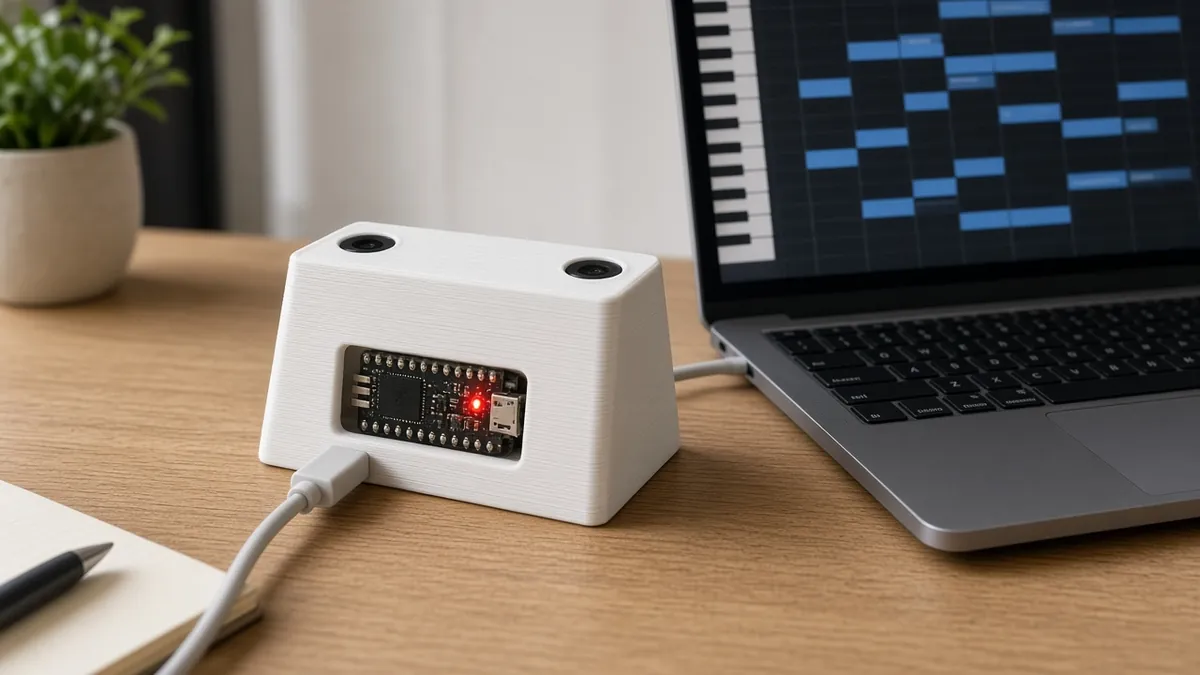
A small box with two upward-facing VL53L1X sensors about 25 cm apart. The right-hand sensor maps hand height to a note in the scale you pick (so it always sounds in key); the left-hand sensor maps to volume. The Pico shows up on your computer as a USB MIDI device. A separate Python script on the computer, written with the AI helper, plays chords and bass that follow your melody.
The cost range is $35-45 for the parts listed below, allowing about 10% either way for price swings.
Print the parts
Print a slanted box with two sensor holes (leave the sensor windows uncovered) and a slot for the USB cable.
Wiring
| From | To | Notes |
|---|---|---|
| Pitch VL53L1X VIN / GND | Pico 3V3 / GND | |
| Pitch VL53L1X SDA / SCL | Pico GP0 / GP1 | I2C0. |
| Volume VL53L1X VIN / GND | Pico 3V3 / GND | |
| Volume VL53L1X SDA / SCL | Pico GP2 / GP3 | I2C1, so both sensors can stay at address 0x29. |
| Pico USB | Computer | USB MIDI. |
Step-by-step
- Install CircuitPython on the Pico and copy the VL53L1X and MIDI libraries.
- Wire one sensor and print distances, then add the second on the other I2C bus.
- Map pitch distance to notes in a chosen scale and send MIDI note on/off.
- Map the volume sensor to MIDI CC 7 (volume) or CC 11 (expression).
- Route the Pico MIDI into a free soft synth and play.
- Run the AI-written backing script and jam.
Code
CircuitPython on the Pico with the adafruit_vl53l1x and adafruit_midi libraries; a Python script with a MIDI library (for example mido) on the computer for the backing band.
Prompt for the code helper:
Write CircuitPython for a Raspberry Pi Pico: VL53L1X pitch sensor on busio.I2C(GP1, GP0) and volume sensor on busio.I2C(GP3, GP2), both at 0x29.
Pitch: 5-40 cm maps to two octaves of C minor pentatonic; send note-on when the note changes and note-off for the previous one; send nothing if no hand is seen. Volume: 5-40 cm maps to CC 11. Smooth readings and add a little hysteresis between notes.
Then write a separate Python script for my computer using mido that listens to the Pico and plays a bass note and triad on channel 2 that fit the last 4 melody notes.
Troubleshooting
- Notes jitter between two pitches: Add hysteresis and averaging, or widen each note band.
- Second sensor not found: It must be on the second I2C bus (GP2/GP3), or both will fight over 0x29.
- No sound on the computer: Pick the Pico as the MIDI input in your synth or DAW.
Print files
- Base: theremin-base.stl (232 KB) · theremin-base.3mf (15.1 KB)
- Lid: theremin-lid.stl (126 KB) · theremin-lid.3mf (8.7 KB)
License CC BY 4.0, aimebro. v1, not test-printed yet
Files, code and docs
Last checked 2026-11-12. Double-check parts against your own board and seller listings before you buy.